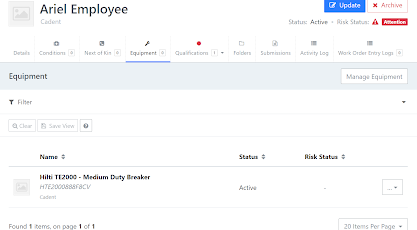
Assigning Equipment to an Employee
You can assign equipment to an employee instead of a Vehicle if it is to be for their own use.
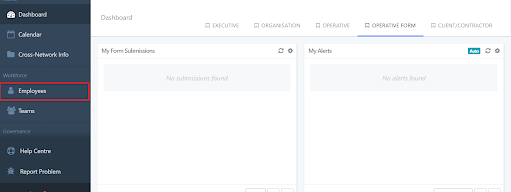
From the dashboard select Employee.
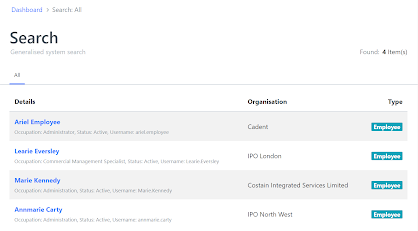
Select the employee from the list that you wish to assign the equipment to, or use the filter to search.
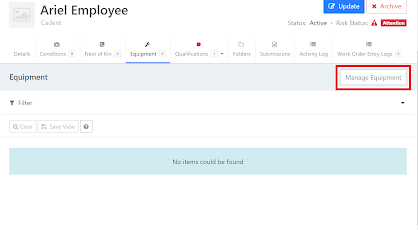
Once you have clicked into the employee you wish to add the equipment to, now click Equipment.
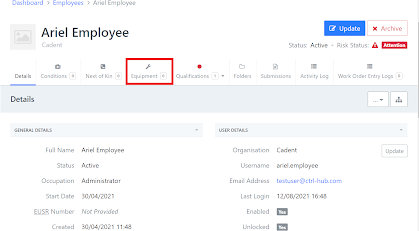
You may see any equipment that is already assigned to the employee on this page, for this example there is none. Now click Manage Equipment.
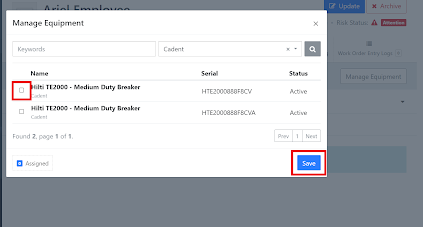
A new box will appear and will have a list of available equipment to select, scroll through and tick the box to add that piece of equipment, you can also add multiple pieces of equipment by clicking the relevant boxes.
Tip - You can also use the search bar to find equipment.
Once you have selected the equipment to add, click Save.
Now you have assigned equipment to the employee and can see the list.